Oana Ruxandra, CEO of PopHatch. Former Chief Digital Officer at Warner Music Group.

Most artists go looking for a Chartmetric alternative when the subscription feels too big for the questions they have. The useful move is to figure out which question you are paying to answer, because each tool is built around a different one, and several of the answers are free.
The strongest Chartmetric alternatives are Soundcharts for real-time monitoring, Viberate for affordable all-platform coverage, and Songstats for lightweight cross-platform tracking, alongside the free native dashboards in Spotify for Artists and Apple Music for Artists. Chartmetric is built for deep historical analysis and artist discovery, Soundcharts for watching artists you already follow, and Viberate for broad coverage on a small budget. For most independent artists, the free native dashboards answer the daily questions, and a paid tool earns its place only when you need discovery, history, or competitor tracking they cannot give. The right pick is the one matched to the decision in front of you.
I am a former BlackRock quantitative portfolio manager and Warner Music Group's former Chief Digital Officer, so I have sat on both sides of the data table. The lesson that carried across is the same one that applies here. The tools were never the scarce resource. The decision was. A dashboard can show you a hundred numbers and still leave you guessing what to do on Monday.
Here is what each tool tells you, and how to choose without overpaying.
What Does Chartmetric Do?
Chartmetric is a music analytics platform built for deep historical data and artist discovery across every major streaming and social service. It tracks streams, playlist adds, follower growth, social engagement, and chart positions over long time spans, and it lets you filter the entire universe of artists by criteria like streaming growth rate, playlist movement in a region, or a spike on TikTok or Shazam.
That discovery power is what labels and managers pay for. The ability to scan thousands of artists and surface the ones heating up in a specific market is useful to a team scouting talent or planning a signing. Chartmetric offers a free tier with limited access, an Artist plan around 5 dollars a month, and professional tiers that run from about 117 dollars a month for Premium up to 150 dollars for Ultra.
Analytics tool pricing and tiers change frequently. Plans noted here reflect June 2026; check each tool's site for current pricing before subscribing.
For a single independent artist, the question is whether you need that breadth. Much of Chartmetric's value sits in comparing many artists and reading years of history, which matters more to a scout than to a musician focused on their own next release. When the subscription feels oversized, it is usually because you are paying for discovery and depth you are not using.
Why Look for a Chartmetric Alternative?
Artists look for an alternative when the cost outpaces the questions they have, which for a solo musician is most of the time. Chartmetric is priced and designed for professionals managing rosters, and a single artist tracking their own career rarely needs the full machine.
The other common reason is overlap with free tools. Your own streaming numbers, audience demographics, and playlist placements already live in the native dashboards at no cost, so paying for a tool that partly repeats them can feel redundant. The gap a paid tool fills is the data you cannot see about yourself from the outside, or the data about other artists, and that gap is narrower for an individual than for a label.
The honest framing is that the best tool is the smallest one that answers your core questions. Before you pay, name the decision you are trying to make. Discovery of new artists, deep history, competitor tracking, and real-time alerts are worth paying for. Your own current numbers usually are not, because you already have them.
The Main Chartmetric Alternatives, and What Each Tells You
Each alternative is built around a different core question, so the right one depends on what you need to know. Here is what each tells you and who it fits.
Tool | What it is best at | Free option | Best for |
Chartmetric | Deep history and artist discovery across platforms | Limited free tier | Labels, managers, scouts |
Real-time monitoring, radio airplay, alerts | None; from 10 dollars a month | Teams watching artists they already work with | |
Viberate | Broad all-platform coverage at low cost | Free charts, paid tiers | Budget-conscious solo artists |
Songstats | Lightweight cross-platform tracking and alerts | Limited free access | Artists who want simple, affordable tracking |
Spotify for Artists | Your own Spotify streams, audience, playlists | Free | Every artist, as the baseline |
Apple Music for Artists | Your own Apple data, Shazam discovery | Free | Every artist, paired with Spotify |
Soundcharts is the monitoring tool. It is built to watch artists you already follow, surfacing playlist adds, radio spins, and social mentions as they happen, which makes it strong for a team tracking a roster in real time. If your question is what changed today for the artists I care about, Soundcharts answers it well, and the comparison of Chartmetric vs Soundcharts comes down to discovery versus monitoring. On price, it runs from about 10 dollars a month for one artist up to 129 dollars a month for the unlimited PRO tier.
Viberate is the value option. It covers Spotify, Apple Music, YouTube, TikTok, Instagram, and Facebook in one interface at around 19.90 dollars a month, with free charts you can browse without a subscription. For a solo artist who wants broad coverage without Chartmetric's cost, it covers most of the same ground for single-artist use.
Songstats is the lightweight tracker. It pulls your cross-platform stats and playlist adds into a simple feed with alerts, aimed at artists who want to follow their own progress without a heavy interface. At around 11.99 dollars a month, it trades Chartmetric's depth for simplicity and a smaller bill.
Which Metrics Matter Most for an Independent Artist?
For an independent artist, a handful of metrics carry almost all the decision-making weight, and the rest is noise worth ignoring. Every tool here can show you hundreds of numbers, so knowing which few to read keeps the data useful instead of overwhelming.
Monthly listeners over followers: Listeners measure who is playing your music now, while followers measure a past decision to follow. A rising listener count is the better pulse on momentum.
Save and repeat rate: How often listeners save a track or return to it shows depth, and depth is what turns a casual play into a fan. A high save rate on a song points to where promotion will pay off.
Playlist adds and their source: Which playlists added you, and whether they are editorial, algorithmic, or user-made, tells you what is driving plays and what you can pitch again.
Listener geography: Where your listeners live decides where to tour, advertise, and release in local time, and it often points to a city before the rest of your numbers do.
Streams per listener: A small audience playing you many times is a different business from a large audience playing you once, and the ratio tells you which one you have.
Source of streams: Whether plays come from your profile, playlists, search, or external links shows how people find you and where the next push should aim.
Read those six and you have the picture that drives decisions. Everything else a paid tool surfaces is useful mainly when you are scouting other artists or studying long histories, which is a different job from running your own career.
The Free Stack Most Artists Should Start With
Most independent artists should start with the free native dashboards, because they answer the daily questions at no cost. Spotify for Artists shows your streams, your listeners, where they are, and which playlists drive your plays. Apple Music for Artists adds Shazam, an early indicator of organic discovery, plus a near-real-time view of who is listening. Together they cover audience, geography, and performance for free.
Add Deezer's free dashboard if your audience reaches its strong markets, and you have a no-cost picture of your own career across the platforms that matter.
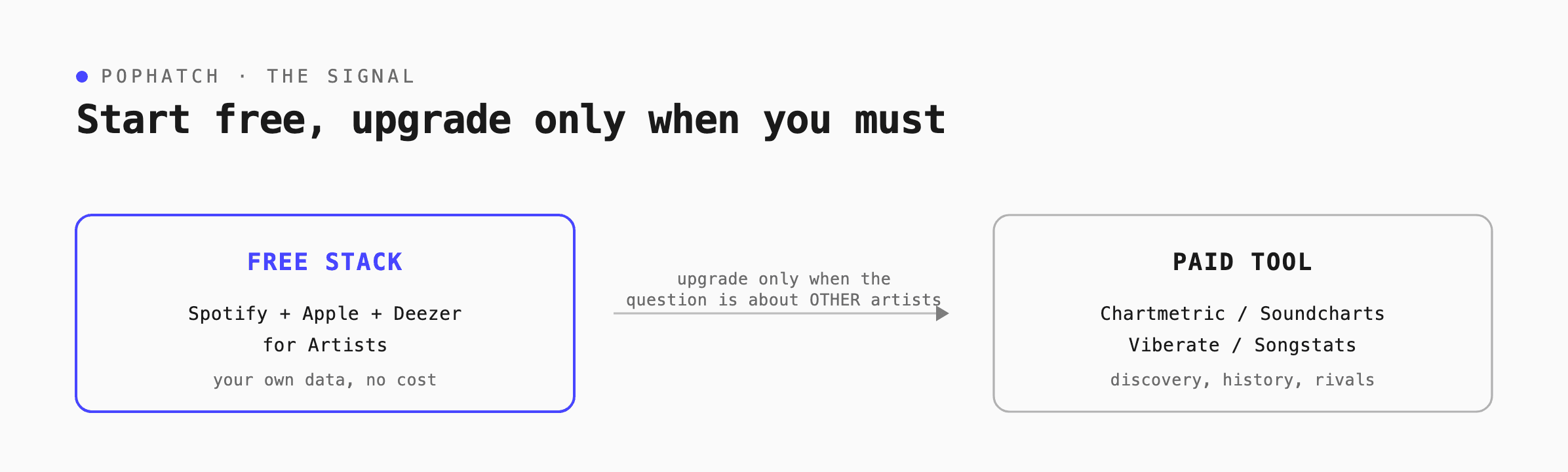
Diagram showing the free analytics stack, Spotify, Apple, and Deezer for Artists holding your own data, on the left, and a paid tool such as Chartmetric, Soundcharts, Viberate, or Songstats on the right, with the rule to upgrade only when your question is about other artists.
The native tools have one limit: they only show your own data, never anyone else's, so they cannot help you scout or compare. For most solo artists, that limit does not bite, because the daily decisions are about your own audience.
A paid tool earns its place the moment your question moves outside your own numbers. When you need to study a peer's trajectory, find rising artists in a genre, watch a competitor's playlist moves, or read years of history, a free dashboard cannot help and a paid tool can. Until then, the free stack plus reading what your streams are worth is usually enough.
How to Choose a Music Analytics Tool?
Choose a music analytics tool by naming the question you need answered, then buying the smallest thing that answers it. The market is full of capable platforms, and the one that fits is decided by your question rather than by feature lists.
Start with what you need to know. If the question is about your own audience, the free native dashboards answer it, so begin there and add nothing until they fall short. If the question is about other artists, a peer's trajectory, a genre's rising names, or a competitor's playlist moves, that is when a paid tool earns its fee, because the free tools only show your own data.
Then match the tool to the question. Choose Chartmetric for discovery and deep history, Soundcharts for real-time monitoring, and Viberate or Songstats for affordable broad coverage. Avoid paying for overlap: when a paid tool mostly repeats what your free dashboards already show, the subscription buys convenience rather than new information, which is rarely worth a recurring bill at the indie level.
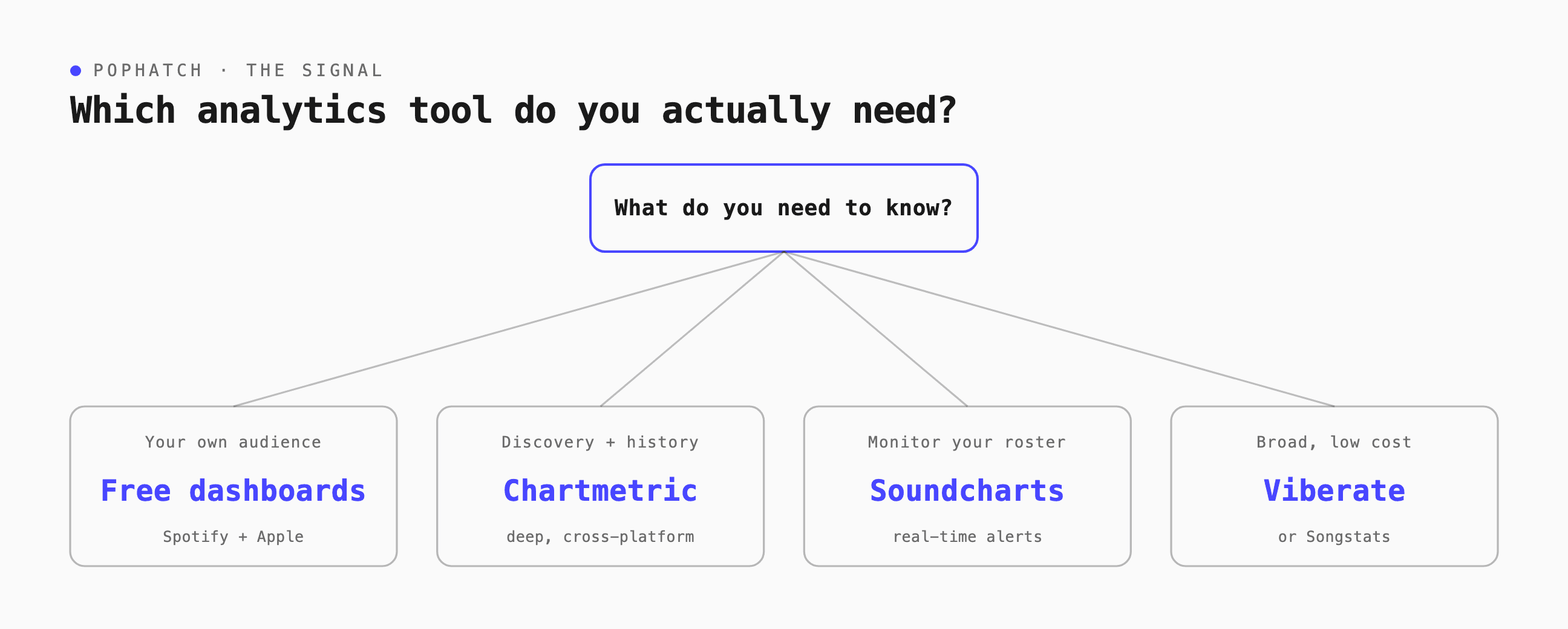
Decision tree for choosing a music analytics tool by your question: to understand your own audience, use the free dashboards Spotify and Apple for Artists; for discovery and deep history, choose Chartmetric; to monitor a roster in real time, choose Soundcharts; for broad coverage at low cost, choose Viberate or Songstats.
The discipline is to let the decision pull the tool rather than let the tool shape the decision. A musician who knows the question they are trying to answer rarely needs the biggest platform, and a musician who buys the biggest platform first often ends up paying to be overwhelmed.
How to Build Your Free Analytics Stack in 20 Minutes?
You can stand up a complete free analytics setup in about 20 minutes, and it will answer most of your questions for a long time. The steps are quick, and the habit you build around them is what makes the data pay off.
1. Claim Spotify for Artists. Verify your profile, then note your monthly listeners, your save rate, your top cities, and which playlists drive plays.
2. Claim Apple Music for Artists. Add Shazam to your view, since it is your earliest sign that strangers are discovering you.
3. Claim Deezer for Creators if your audience reaches France, Brazil, or Latin America, so you are not blind to a market that pays well.
4. Build a one-page tracker. In a simple spreadsheet, make a row for each month and columns for monthly listeners, save rate, top city, biggest playlist, and streams per listener.
5. Fill it in once a week for ten minutes, and watch the trend across weeks rather than the number on any single day.
That is the whole stack, and it costs nothing. Most artists who think they need a paid tool find that this setup answers their questions, and the weekly habit matters more than any feature a subscription could add.
The Part No Tool Does for You
The gap none of these tools close is the one between seeing the data and knowing what to do with it. Every platform here is excellent at showing numbers, and each leaves you to translate those numbers into a release plan, a tour route, an ad budget, and a next move. That translation is the work, and it is the part that used to take a label's team.
This is the difference between an aggregator and a partner. An aggregator pulls your numbers into one screen. A partner reads those numbers against your goals and tells you what they mean for your next decision. Pulling Spotify, Apple, and the social platforms into a single view is solved many times over. Deciding what the view is telling you to do is not.
That decision layer is what PopHatch is built to be. It sits above whichever tools you use, reads the patterns across them, and prepares the call, so the artist business partner turns your dashboards into a plan rather than a pile of charts. PopHatch does not replace your free dashboards. It does the part they leave to you. You can start by learning to read your audience on the free tools, then let the decisions build from there.
___
Every tool here shows you numbers. Turning numbers into a plan is the work, and PopHatch is the artist business partner that sits above your dashboards and prepares the decision. Start your free trial at pophatch.com.
Frequently Asked Questions

Written by
Oana Ruxandra
Founder & CEO, PopHatch
Oana Ruxandra is the founder and CEO of PopHatch, the artist business partner. She spent fifteen years inside the music industry, ending as Chief Digital Officer at Warner Music Group, where she grew digital revenue by $2B and negotiated first-of-their-kind deals with Apple, Spotify, YouTube, Amazon, Meta, and TikTok. She writes about the business of music from the inside, for the artists building careers on their own terms.